Beaconsoft Tips for Tech: Features, Uses & Guide
Beaconsoft tips for tech refers to the collection of practical technology guides, smartphone facts, software walkthroughs, and everyday device fixes published on the Beaconsoft website (beaconsoft.net and related web pages). Rather than selling a single software program or enterprise hardware tool, this platform serves as an educational hub for everyday users who want clear answers to common technical problems.
Software updates, shifting phone menus, and new security threats appear almost every week. Most official product manuals assume readers already understand advanced technical terms. Readers who search for beaconsoft tips for tech usually want plain-language steps they can apply right away—such as speeding up a slow smartphone, locking down online accounts, or organizing messy computer folders. This guide explains how the website works, reviews its main content categories, shares practical habits you can test today, and outlines key safety checks before following any online tech advice.
What is Beaconsoft Tips for Tech?
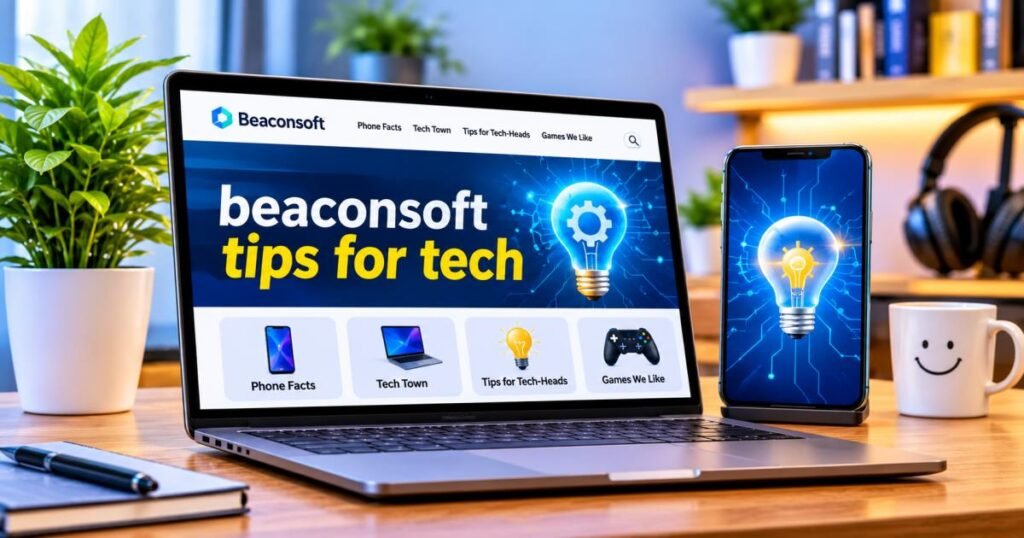
Beaconsoft is an online publication centered on consumer technology education and casual gaming. When people look up beaconsoft tips for tech, they are searching for the site’s library of troubleshooting tutorials, device optimization routines, and plain-language summaries of digital tools.
The website focuses on turning complicated settings into simple, repeatable habits. Instead of covering corporate stock news or deep hardware engineering, its writers explain how everyday features work on phones, laptops, and web browsers.
Several groups of readers find this format helpful:
- Everyday phone and computer owners who want quick fixes for sluggish performance, draining batteries, or confusing menus.
- Students and beginners building core digital skills, such as organizing class files, managing browser tabs, and spotting unsafe links.
- Casual gamers looking for game overviews, basic hardware requirements, and platform news.
- Curious readers who want clear summaries of cloud storage, browser extensions, and artificial intelligence tools without heavy technical jargon.
The purpose behind the site’s content is immediate action. One important distinction to keep in mind is that beaconsoft.net is an informational content blog, not an official enterprise software vendor or a registered hardware manufacturer like similarly named corporate entities. Understanding that difference helps readers treat the articles as helpful starting points rather than official factory manuals.
Beaconsoft Tips for Tech: Main Features and Categories
The Beaconsoft website groups its articles into clear topic sections so visitors can skip unrelated posts and find answers faster.
Phone Facts and Smartphone Information
Smartphones handle most daily computing tasks, and the Phone Facts section addresses how Android and iOS devices actually run. Articles in this category explain hidden operating system menus, camera settings, mobile data usage, and battery health. For example, a guide might show how background app refresh drains battery life while your phone sits idle, or how to check which apps occupy the most internal storage.
Tech Town and Technology Updates
The Tech Town category covers broader software trends, web platforms, and emerging digital tools. Readers find overviews of cloud services, wireless standards, and artificial intelligence assistants. Rather than listing raw code specs, these articles explain what a new tool does in practical terms and where it fits into a normal workday.
Tips for Tech-Heads
This section forms the core of beaconsoft tips for tech. Tips for Tech-Heads focuses on hands-on computer care, browser shortcuts, file organization, and account security. Typical guides walk through disabling unnecessary startup programs on a Windows PC, setting up two-factor authentication, or clearing corrupted browser caches.
Games We Like and Gaming Content
Video games and consumer hardware overlap closely. The Games We Like section spotlights popular computer and mobile titles, basic gameplay mechanics, and general gaming news. Casual players visit this area to discover new games or check platform compatibility without wading through competitive esports statistics.
Website Navigation and Content Organization
Beaconsoft uses a clean blog layout with top menu links, chronological post feeds, and topic tags. Visitors do not need to register an account or pay a subscription fee to read articles. Most posts use short paragraphs and descriptive subheadings so readers can scan straight to the exact step they need.
How Does Beaconsoft Work?
Browsing Beaconsoft requires zero technical setup or software downloads. The site works in any standard desktop or mobile web browser.
When you open the homepage, you see a feed of recently published articles alongside links to the primary sections. Scrolling the homepage works well when you want to browse general updates or pick up a quick productivity idea.
If you arrive with a specific task, finding articles by category saves time. Selecting Tips for Tech-Heads or Phone Facts filters out gaming posts and broad news.
For targeted troubleshooting, searching for specific technology topics through the site’s search bar—or typing your issue alongside the site name in Google—brings up relevant walkthroughs. Once you open a post, understanding its guides and recommendations follows a predictable pattern: the writer states the common problem, explains why it occurs in plain words, and lists basic settings changes or preventative habits.
Popular Uses of Beaconsoft
Readers visit the site for different reasons depending on their devices and comfort level with technology:
- Learning about smartphones and mobile devices: People frequently look up ways to free up phone storage, silence spam notifications, and stretch battery life between charges.
- Finding everyday technology tips: Many visitors rely on beaconsoft tips for tech to fix daily annoyances, such as sluggish web browsers, cluttered desktops, or unstable Wi-Fi connections.
- Understanding software and digital tools: Before testing a new cloud drive or AI writing helper, readers check overview posts to learn how the tool works and what permissions it requires.
- Exploring gaming information: Casual players read game summaries and platform updates to find titles that match their devices.
- Improving everyday digital knowledge: Regular visitors use the site to build steady habits around automatic file backups, password managers, and safe browsing.
Practical Technology Tips Readers Can Learn
Consistent, low-effort habits fix more technical headaches than expensive repair utilities. Below are five practical routines drawn from the core themes of beaconsoft tips for tech.
1. Smartphone Performance and Battery Management
Smartphones typically slow down when internal storage fills up or background apps run unchecked. Keeping at least 15% to 20% of your phone’s storage open gives the operating system room to process temporary files smoothly. Auditing background app permissions stops rarely opened apps from draining battery power and mobile data. Keeping your daily battery charge roughly between 20% and 80%—and avoiding direct sunlight while charging—also slows down long-term battery wear.
2. Computer Maintenance and Troubleshooting
Most everyday laptop slowdowns stem from accumulated temporary memory and overcrowded startup lists. Restarting your computer once a week clears stuck background processes and lets pending system patches install. Opening Task Manager on Windows or Login Items on macOS lets you disable non-essential apps that launch automatically at boot. When a website fails to load properly, testing the page in a private browser window quickly shows whether a browser extension or cached file caused the glitch.
3. Online Privacy and Account Security
Strong account protection relies on simple, repeatable defenses rather than complicated software. A reputable password manager creates and stores unique, 16-character passwords for every website so you never reuse login details. Turning on two-factor authentication (2FA) through an authenticator app blocks intruders even if a password leaks online. Reviewing connected third-party apps inside your Google or Apple account settings every few months also cuts down unnecessary data sharing.
4. App Management and Software Updates
Outdated browsers and operating systems contain known security holes that attackers actively scan for. Enabling automatic security updates ensures critical fixes install on schedule. At the same time, deleting apps you have not opened in 60 days frees up drive space and reduces background notifications. Always install software exclusively from the Apple App Store, Google Play Store, or verified developer domains.
5. Digital Productivity and Organization
Small workspace habits save hours every month. Grouping documents into broad folders—such as Work, Personal, and Archive—and naming files with dates (2026-11-17_Invoice) makes searching effortless. Learning five basic keyboard shortcuts, like reopening a closed browser tab (Ctrl+Shift+T or Cmd+Shift+T), eliminates repetitive mouse clicks. Setting up automatic cloud backups alongside one local external drive ensures a broken laptop never wipes out important photos or tax records.
Benefits of Using Beaconsoft for Technology Information
For readers who dislike dense technical manuals, Beaconsoft offers several clear advantages:
- Easy-to-understand technology content: Writers explain what buttons to press and why a setting matters without burying readers in acronyms.
- Different topics in one place: Grouping smartphone tips, PC troubleshooting, software overviews, and casual gaming on one site saves time.
Excendra - Useful information for beginners: New computer and smartphone owners can build core skills without feeling overwhelmed.
Excendra - Practical tips for everyday users: Advice centers on realistic weekly habits—like restarting devices and clearing caches—that anyone can perform in under ten minutes.
TheBeaconsoft - Access to phone and gaming-related information: Readers get both practical device care and light entertainment coverage in a single visit.
Is Beaconsoft Reliable and Safe to Use?
Checking the credibility of any online tech publication protects both your devices and your personal data. Remember that beaconsoft.net operates as an informational tech and gaming blog rather than an official software manufacturer. Keeping that role in mind helps you evaluate its content safely.
Understanding Ownership and Background
Public web records show similar names across different industries, including a registered UK firm called Beaconsoft Limited and unrelated software companies. The website beaconsoft.net functions as a general consumer content publisher. Readers should treat its articles as educational guides rather than official vendor announcements.
Checking Article Authors and Publication Dates
Phone menus and software dashboards change after major updates. A setting described two years ago may sit under a different menu today. Always look at the publish or update date on an article and check for named author bylines to verify that the steps reflect current software versions.
Evaluating Technical Claims and Recommendations
Standard maintenance advice—such as weekly restarts, cache cleanups, and using password managers—matches established industry security practices. However, if an article mentions specific software pricing, subscription terms, or product claims, confirm those details directly on the official developer’s website before making a purchase.
Recognizing Misleading Links and Unsafe Downloads
Like most free web publications, tech blogs often display third-party ad networks. Never click pop-up banners claiming your phone has a virus or urging you to download an “instant system cleaner” or unverified APK file. Always download apps and updates directly through your device’s built-in settings menu or official app storefronts.
Protecting Personal Information Online
Reading articles on Beaconsoft never requires entering passwords, credit card details, or personal identification. Leave any external page that asks for remote device access or sensitive account credentials.
Beaconsoft vs. Other Technology Information Websites
Different tech websites serve different needs. Comparing Beaconsoft against major review publications and technical forums shows where each resource fits best:
| Feature / Criteria | Beaconsoft (beaconsoft.net) | Major Tech Review Sites (e.g., PCMag, Wirecutter) | Technical Forums (e.g., Reddit, Stack Exchange) |
| Content Variety | Mix of phone facts, basic tech tips, software summaries, and casual gaming. | In-depth hardware lab tests, buying guides, and industry reporting. | Niche bug fixes, coding solutions, and advanced hardware builds. |
| Ease of Navigation | Simple blog categories (Phone Facts, Tech Town, Tips for Tech-Heads). | Structured product hubs, comparison tables, and editorial channels. | Thread-based; requires targeted search terms to find verified fixes. |
| Beginner Friendliness | High; uses plain, everyday language for casual readers. | Moderate to high; accessible but includes detailed benchmark metrics. | Low to moderate; assumes familiarity with technical vocabulary. |
| Verification & Depth | Helpful for daily habits and quick overviews; cross-check product claims. | High editorial transparency with disclosed testing methods. | Community-driven accuracy; relies on user upvotes and peer review. |
Before relying on any website, compare author transparency, update dates, and clarity of instructions. Using an approachable site like Beaconsoft for everyday habits and pairing it with official support pages from Apple, Google, or Microsoft gives you reliable answers without confusion.
Excendra
Who Should Use Beaconsoft?
Different readers benefit from specific parts of beaconsoft tips for tech:
- Students and beginners: Useful for learning basic file organization, browser shortcuts, and online safety rules without getting lost in jargon.
- Smartphone users: Helpful for anyone seeking quick adjustments to free up storage, manage app permissions, and extend daily battery life.
- Technology enthusiasts: Convenient for casual browsing, productivity ideas, and plain-English summaries of new software tools.
- Casual gamers: A light resource for game overviews, platform news, and basic hardware tips.
- Readers interested in digital trends: Ideal for people who want a quick overview of cloud tools or AI assistants before exploring deeper technical guides.
Limitations and Things to Consider Before Using Beaconsoft
Keeping a few practical checks in mind prevents frustration when following online tech tutorials:
- Verify details with official sources: Because beaconsoft.net is an independent content blog rather than a software vendor, always confirm pricing, security policies, or system requirements on the official product website.
Slideshare - Confirm steps match your exact device: Menu labels differ between iOS and Android, Windows 10 and Windows 11, and different phone brands like Samsung and Google Pixel. Check that a tutorial matches your exact software version.
Excendra - Separate opinions from technical facts: Recommendations on favorite games or productivity workflows reflect writer preferences, whereas security rules like enabling two-factor authentication rely on established standards.
- Avoid unverified third-party downloads: Never install utilities or mobile packages from third-party mirror links. Stick strictly to official app stores and verified developer websites.
Final Thoughts on Beaconsoft Tips for Tech
Beaconsoft tips for tech offers an approachable starting point for everyday users who want to keep their smartphones, computers, and online accounts running smoothly. Across categories like Phone Facts, Tech Town, Tips for Tech-Heads, and Games We Like, the site breaks down digital maintenance and software overviews into plain, actionable steps.
Treat the platform as a practical companion for building steady weekly routines—such as restarting devices, auditing app permissions, backing up files, and updating software—while always verifying specific product claims or downloads against official vendor documentation.
Frequently Asked Questions About Beaconsoft Tips for Tech
What is Beaconsoft Tips for Tech?
Beaconsoft tips for tech refers to the collection of practical technology articles, device maintenance tutorials, smartphone guides, and software summaries published on the Beaconsoft website (beaconsoft.net and related pages). It is an educational tech blog rather than a standalone software product.
What topics does Beaconsoft cover?
The website covers consumer technology and casual gaming across main sections including smartphone features (Phone Facts), broader software and digital updates (Tech Town), computer and productivity troubleshooting (Tips for Tech-Heads), and video game overviews (Games We Like).
Is Beaconsoft useful for beginners?
Yes. Articles use plain, accessible language instead of heavy technical jargon, making the site helpful for students, new smartphone owners, and casual computer users learning basic device care and online safety.
Does Beaconsoft provide smartphone tips?
Yes. Through its Phone Facts and general tech tip categories, the site shares steps for freeing up storage space, managing background app permissions, adjusting notifications, and extending battery life on Android and iOS devices.
Can I find gaming-related information on Beaconsoft?
Yes. The platform includes a Games We Like section that features overviews of popular video games, casual mobile titles, and general gaming platform news alongside its everyday technology guides.